NZTeco Limited | ZKTeco Supplier

Time & attendance systems · New Zealand

Staff attendance.
Ready for payroll.

Capture hours, review missing or incorrect punches, and prepare approved attendance information for payroll. We’ll match the devices, software and implementation to your workflow.

Official ZKTeco Partner for New Zealand

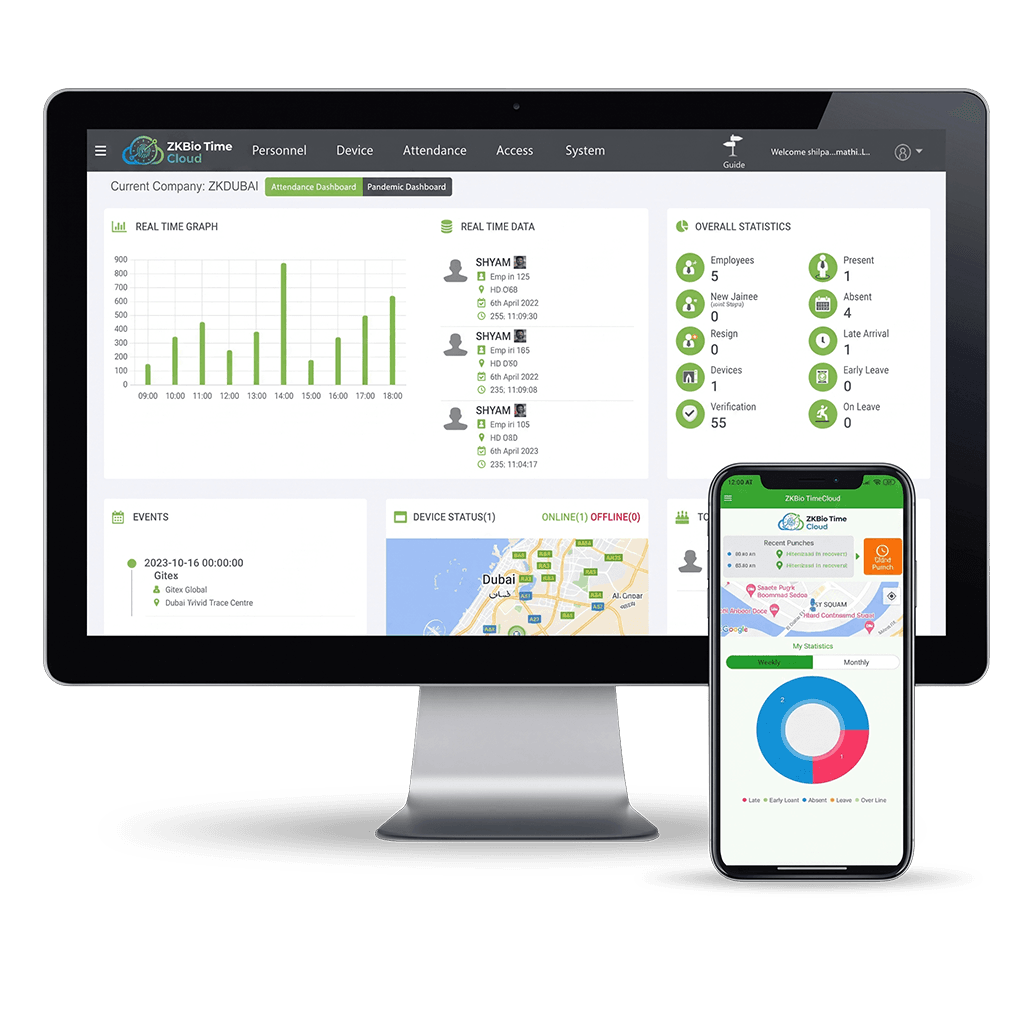
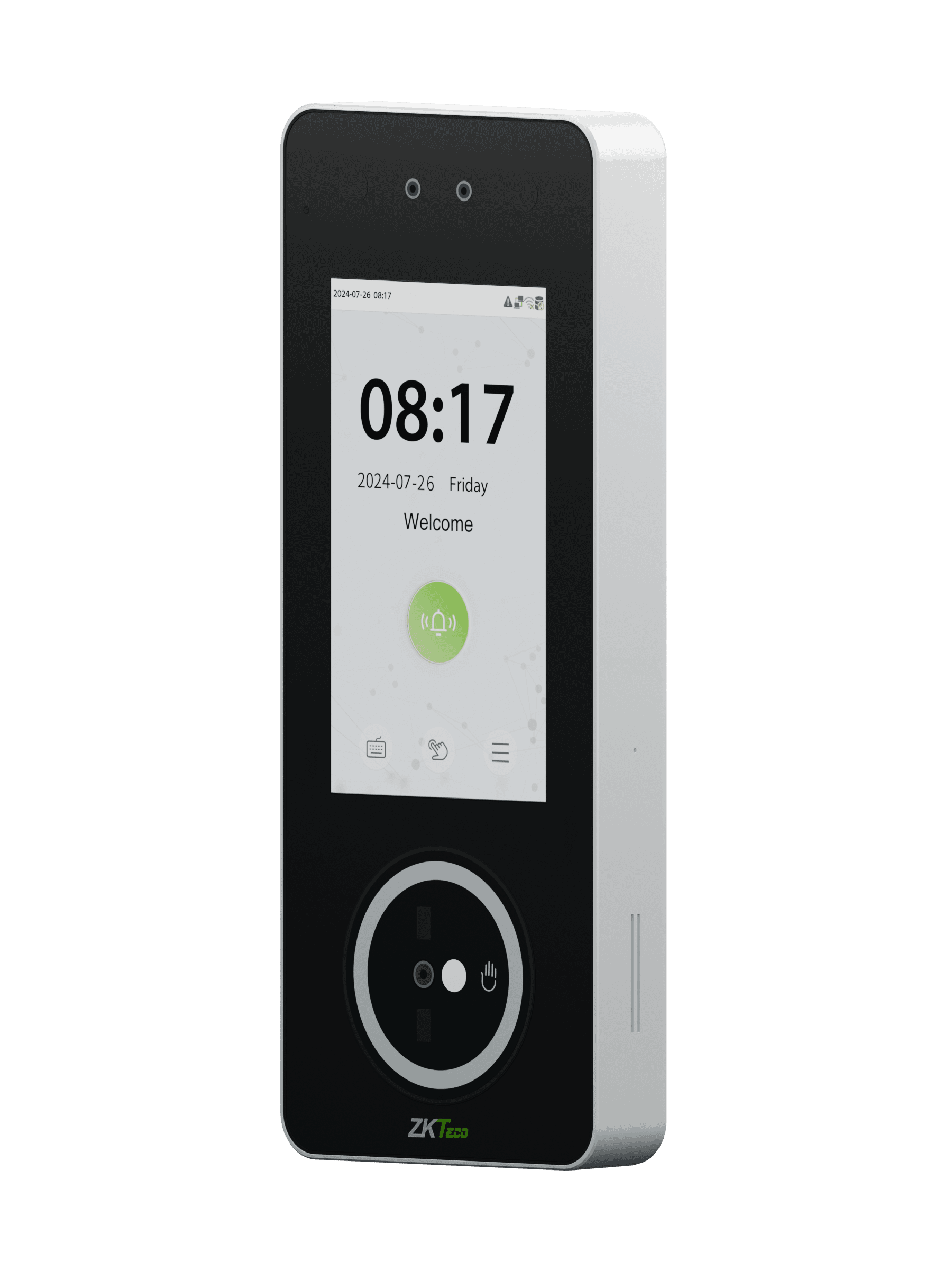
Genuine ZKBio Time Cloud dashboard and mobile reference screensZKTeco SpeedPalm V5L face and palm attendance terminal, shown in a genuine product render
Genuine SpeedPalm V5L render · ZKBio Time Cloud reference screens

1. Capture hours

Record staff clock-ins and clock-outs with suitable terminals or an approved mobile method.

2. Review attendance

Review missing punches, breaks and exceptions in your chosen software. Attendance rules and approval features depend on the platform and configuration.

3. Prepare payroll

Pass approved information through a supported connection or mapped export. Your payroll system calculates pay, deductions and entitlements.

Choose a clocking point for your team.

A fixed entry point, a portable site terminal or a budget-friendly setup: choose the working environment first, then confirm the software pairing.

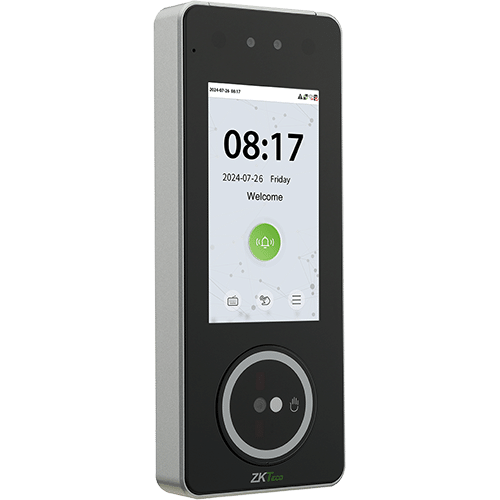
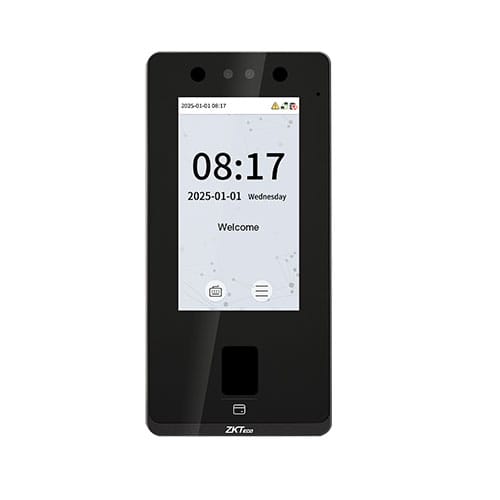
ZKTeco SpeedPalm V5L terminal

SpeedPalm V5L

For a fixed staff clocking point

Face · palm · card · PIN

View SpeedPalm V5L
Methods & software pairing

Face, palm, card and PIN clocking. ZKTeco lists ZKBio Time through TA PUSH. Confirm firmware and enrolment needs; eligibility for ZKBio Time Cloud is checked separately.
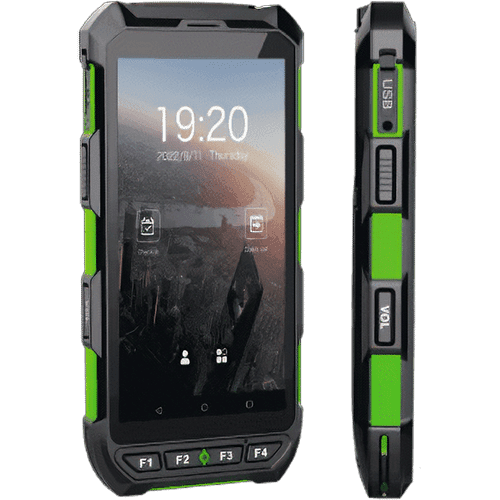
Genuine Horus H1 portable attendance terminal, front and side

Horus H1

For mobile teams and changing sites

Face and supported NFC credentials. Fingerprint is available on the listed fingerprint variant.

View Horus H1 Discuss a mobile setup
Variants, connectivity & battery

NZTeco lists Horus H1 with or without fingerprint. Face and supported NFC credentials provide other methods. ZKTeco lists ZKBio Time and push support. Confirm firmware and ZKBio Time Cloud eligibility.

Wi-Fi and mobile-network capability depend on setup, SIM and local coverage. GPS requires suitable reception and is a location record, not proof of hours worked. The rechargeable battery needs a charging plan; runtime varies with use.

Genuine ZKTeco SenseFace 4A terminal with fingerprint reader

SenseFace 4A

Budget-friendly fixed point

For a straightforward staff clocking point with a choice of identification methods.

Face · fingerprint · card · PIN

View SenseFace 4A
Variant & attendance configuration

The linked catalogue covers 4A and 4B; 4A is the fingerprint variant. Standard wired TCP/IP and 125kHz cards are listed; Wi-Fi and 13.56MHz cards are optional. Confirm the supplied version and required options.

Use the supported TA PUSH configuration for ZKBio Time, rather than assuming an access-control setup is ready for attendance. ZKBio Time Cloud pairing requires its own check.

Browse attendance terminals

Already have clocks or software?

Send the model, supplied variant and firmware if known. We’ll check the supported protocol and the attendance configuration before recommending a pairing.

Choose how you manage attendance.

Start with hosting, the manager’s workflow and who will run the system. These are different platforms, with different licences and device requirements.

Select the software and terminals together. Open the details for feature, licence and implementation checks.

Hosted service

ZKBio Time Cloud

Browser-based attendance across your sites.

Main consideration
Confirm devices, mobile entitlement and the annual package.

Explore ZKBio Time Cloud MYOB Business connection
Features & licence checks

ZKBio Time Cloud includes documented mobile clocking, geo-fencing and reporting features, subject to the service and configuration. Confirm user/event allowances, approvals and device eligibility.

The MYOB Business connection is available for supported deployments. Confirm the account and data workflow.

Your managed server

ZKBio Time 9.0

Attendance managed in your own environment.

Main consideration
Agree server ownership, backups and the device/user licence.

Explore Time 9.0
Features & licence checks

Web-based, self-hosted attendance software with configured schedules, attendance calculation and reports. Paid licences are purchased once; hosting, setup and NZTeco services are separate.

Payroll exports require mapping. API and mobile access must be confirmed for the licensed deployment. Features documented for ZKBio Time Cloud are not automatically included.

ZKBio Time Cloud reporting

Find the clockings, exceptions and summaries your team needs to review attendance. These report categories are for ZKBio Time Cloud; report availability depends on your account and configuration.

Swipe or scroll to browse all seven categories →

Check the original clockings before attendance is calculated. Compare device and mobile records, punch totals and first/last clockings.

  • Transaction

  • Mobile Transaction

  • Total Punches

  • First & Last

  • First In Last Out

Review attendance against the configured schedule. Find missing punches, late arrivals, early departures and absences that need attention.

  • Scheduled Log

  • Total Time Card

  • Missed In & Out

  • Late

  • Early Leave

  • Birthday

  • Overtime

  • Absent

  • Multiple Transaction

  • Break Time

  • Half Day

Review a day’s attendance, detailed records and status before preparing approved information for payroll.

  • Daily Attendance

  • Daily Details

  • Daily Summary

  • Daily Status

Review attendance patterns and work duration over a month. Overtime and status reports depend on your configured attendance rules.

  • Basic Status

  • Status Summary

  • OT Summary

  • Work Duration

  • Work Detail

  • ATT Sheet Summary

  • Attendance Status

  • Attendance Summary

Bring attendance and leave information together by employee, department or year for a broader management view.

  • Employee Summary

  • Leave Summary

  • Department Summary

  • Yearly Summary

Review repeated attendance exceptions, training and payroll-oriented report output. A Payroll Report is attendance information; your payroll system still calculates pay.

  • Training

  • Payroll Report

  • Continuous Abnormal Report (3 Days Absent)

  • All In One

Explore the outdoor report options available in ZKBio Time Cloud.

  • Schedule Report

  • Unschedule Report

Plan a setup your IT team can support.

Match the devices, hosting and data flow before rollout. Agree responsibilities with NZTeco, your IT team and the installer.

Hosting, licences & ongoing support

ZKBio Time Cloud is a hosted service with an annual package. ZKBio Time 9.0 needs agreed server arrangements. Confirm account administration, backups, updates, network access and licence entitlements.

Agree what support is included, who operates the system and how changes to staff, devices or rules are handled.

Supported devices & connectivity

Check the model, supplied variant, firmware and required push protocol. A network connection alone does not establish compatibility. SenseFace attendance configuration differs from its access-control push mode.

Plan network availability, mobile coverage where applicable, power/charging and the handling of connection interruptions.

Rollout responsibilities

Define installation and network work, staff enrolment, appropriate clocking alternatives, permissions, attendance rules, exception review, report mapping and training. Test the agreed workflow with a representative pay period.

Assess privacy requirements and staff information handling for the selected methods.

Connecting your own software?

Use the supported ZKBio Time 9.0 API when your application needs records from an attendance-management platform. If your own system calculates attendance, ZKBio WDMS may provide device/transaction middleware instead. We scope supported devices and protocols, API/SDK access, licence entitlements, data handling and development responsibilities. This is not unrestricted direct access to any terminal.

Discuss implementation & support

From your branches to one attendance workflow.

1 Staff clock at branch devices

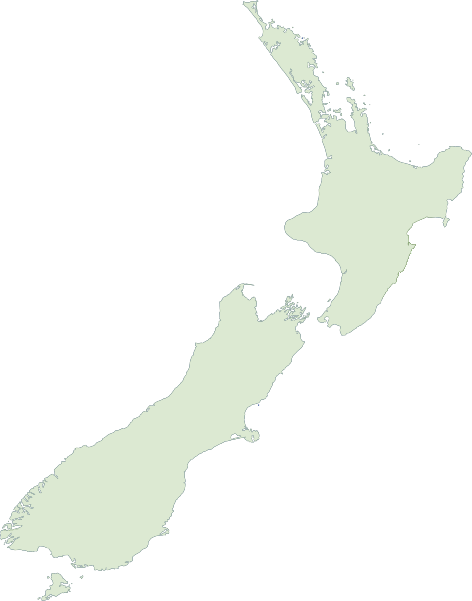
Outline map of New Zealand
Branch A Branch B Branch C
Illustrative locations — not customer deployments.
  1. 2

    Central attendance software

    Branch records reach ZKBio Time Cloud or your configured ZKBio Time 9.0 system.

  2. 3

    Managers review and approve

    Resolve missing or incorrect punches and prepare approved attendance information using the chosen workflow.

  3. 4

    Approved information reaches payroll

    Use the configured integration or a mapped file export. Your payroll system calculates pay.

Discuss your staff and sites See the Fiji High Commission’s two-site ZKBio Time Cloud setup

Connect attendance to your payroll.

Agree how approved attendance information reaches payroll. Keep recording punches, calculating attendance and processing pay as three distinct jobs.

Available · supported deployments

MYOB Business

ZKBio Time Cloud has a MYOB Business connection, available through NZTeco for supported deployments. We’ll confirm your MYOB account and the data workflow before setup.

Discuss MYOB Business
What we confirm for MYOB

The ZKBio Time Cloud interface names MYOB Business. Compatibility and the data workflow will be confirmed for your setup before implementation.

In development

Xero integration

NZTeco is working on Xero integration. It is not ready for deployment. Scope, software pairing and availability will be confirmed as development progresses.

Tell us about your Xero workflow

Configured file exports

Smartly and SmoothPay document CSV import routes. We assess the receiving format, employee IDs, pay codes and field mapping for your chosen attendance software. These are configured file workflows.

API & custom work

For an assessed custom connection, confirm API/SDK access, permitted data, sync direction and responsibility for approvals and corrections. Time 9.0 has documented API options; availability and licensing still need scoping.

Time 9 API guidance

Attendance rules, leave, overtime and the receiving payroll workflow must be assessed and configured. Attendance software alone does not establish NZ payroll compliance.

Browse integration resources

Student attendance, door access and custom development.

New Zealand College of Chiropractic

Eight devices at New Zealand College of Chiropractic support student attendance and door access: six serve approximately 500 students, while two control door access.

NZTeco’s custom Attendance Report Builder automatically retrieves records through the ZKBio Time 9.0 API and checks them against class schedules. It identifies late arrivals, missed clockings and absences. Staff review and approve the follow-up recipients before sending emails asking students to explain attendance exceptions. This custom workflow is separate from standard ZKBio Time Cloud reporting. Email sending follows staff approval; it is not automatic.

Read the NZCC project

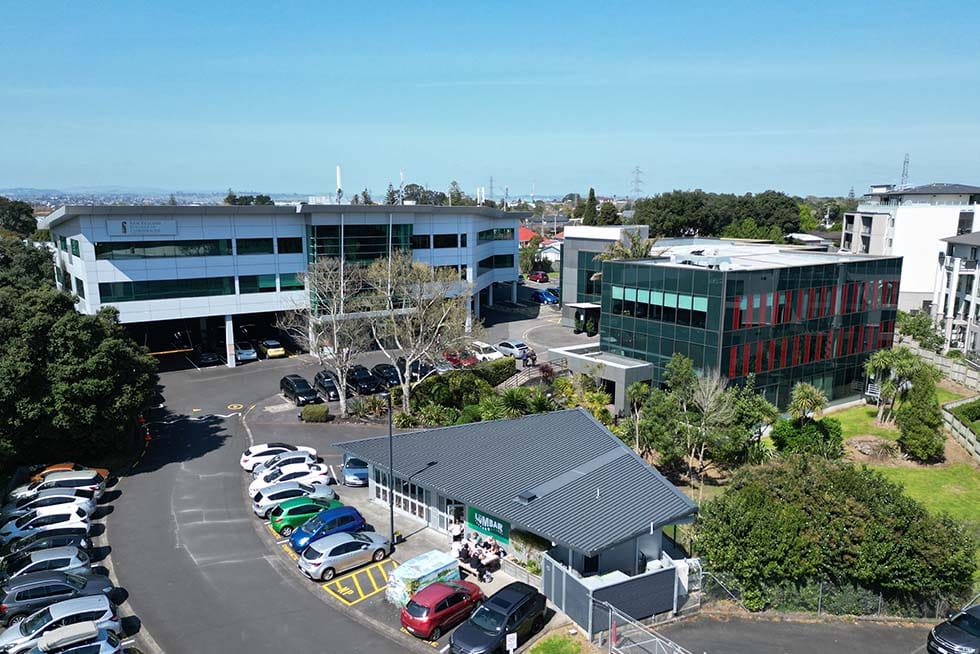
Student attendance and door access. Campus photograph shown for project context.

6 attendance devices
Approximately 500 students

2 access devices
Door access control

API retrieval, exception reports and staff-approved follow-up

Plan your attendance setup.

Tell us how staff clock in, who reviews attendance and which payroll or software you already use. We’ll help narrow the hardware, software and implementation requirements.

For HR managers, payroll and attendance administrators, IT teams, installers and integration partners.

Prefer to talk? 09 3205 396

Before you choose.

Can we use cards or PINs instead of biometrics?

Yes, suitable terminals provide card or PIN/password methods. Confirm the exact model and card type. Agree how you will issue credentials and handle shared PINs or lost cards. Biometrics are one option, rather than a requirement for every attendance system.

Will our existing ZKTeco device work?

Check the model, variant, firmware and supported protocol against the chosen software. ZKBio Time 9.0 TA PUSH support does not automatically establish ZKBio Time Cloud compatibility. Send us the device details and current software before replacing or reusing a terminal.

Does the software calculate pay and overtime automatically?

Attendance software can calculate hours under configured rules. Your managers still need to resolve exceptions and approve records. Overtime, breaks, leave and pay codes require assessment for your employment arrangements. The payroll system remains responsible for processing pay and entitlements.

Can it connect to our payroll system?

Tell us your payroll product and current workflow. ZKBio Time Cloud has a MYOB Business connection for supported deployments. Xero integration is in development, with scope and availability still to be confirmed. Configured exports and API/custom work for other systems require format, entitlement and mapping checks.

Do the two platforms have the same features?

No. ZKBio Time Cloud is a hosted service, while ZKBio Time 9.0 runs in an agreed server environment. Check the reports, device compatibility, mobile access, API entitlement and integration route for the chosen platform; features and licences are not interchangeable.

What happens if the internet connection drops?

Offline recording, storage limits and later upload depend on the terminal and software pairing. Mobile clocking has its own connectivity requirements. Confirm the proposed setup’s behaviour and test recovery before relying on it at a site with intermittent connectivity.

What do we need to consider for biometric privacy?

Assess whether biometrics are appropriate for your workplace, what data is collected, staff information and alternatives, access permissions, retention and deletion. Review your current New Zealand privacy obligations for the actual deployment. A vendor certification or product feature is not a guarantee of compliance.

What should we budget for besides the clocks?

Allow for the chosen software licence or annual ZKBio Time Cloud package, implementation, any server or hosting, installation, training, support and integration work. Ask for an itemised scope. Employee/device allowances, mobile modules and renewal requirements must be confirmed for the chosen package.

ReachOut

Copyright © 2026

Get the Right Turnstile Quote

Send us a few details and we’ll recommend the best option for your site.
You selected: Full-Height Turnstiles

By submitting, you agree to our Privacy Policy and Terms. This site is protected by Google reCAPTCHA (Privacy • Terms).

We’re a Licensed Security Company!
NZTeco Limited is officially licensed under the Private Security Personnel Licensing Authority (PSPLA).
License Number: 24-121944
License Classes: Security Technician & Security Consultant
Expiry Date: 22-11-2029

What does this mean?
It confirms that we meet the legal standards to provide professional and secure services in New Zealand, ensuring your peace of mind and trust in our solutions.
Being licensed ensures compliance with industry regulations, ethical practices, and accountability in delivering Access Control, CCTV, and other security solutions.

For more about the PSPLA and why choosing a licensed provider matters, visit the official PSPLA information page: https://www.pspla.govt.nz/ (opens in a new tab).

New Zealand Security Association (NZSA) logo
Official ZKTeco Partner in New Zealand

Contact us

Follow us

Fast Response Form

By submitting, you agree to our Privacy Policy and Terms. This site is protected by Google reCAPTCHA (Privacy • Terms).